Overview
For web developers, posture isn't just about comfort, it's a critical component of productivity, health, and career longevity. Hours spent hunched over keyboards and monitors can lead to chronic pain, reduced focus, and long-term physical damage. This guide provides a comprehensive, science-backed approach to optimizing your workspace and habits, ensuring you can code efficiently while safeguarding your well-being. By implementing ergonomic principles and movement strategies, you'll not only reduce stress and fatigue but also enhance your cognitive performance for better coding outcomes.
The Web Developer's Posture Crisis: Why It Matters More Than Code
Poor posture silently sabotages more than just your back; it undermines your entire workflow. Common complaints among developers include:
- Neck and shoulder strain from leaning forward to see screens.
- Lower back pain due to slouching in non-supportive chairs.
- Wrist and hand discomfort from improper keyboard and mouse positioning.
- Eye strain and headaches caused by glare and incorrect monitor height.
- Fatigue and reduced concentration, which can slash productivity by up to 30% according to ergonomic studies.
Ignoring these issues doesn't just lead to temporary discomfort, it can result in chronic conditions like carpal tunnel syndrome, herniated discs, and tension headaches, ultimately forcing time off work. As developers, our bodies are our most valuable tools; maintaining them is as essential as writing clean code.
The Science of Sitting: How Your Body Pays the Price
Prolonged sitting, especially in poor postures, has profound biomechanical and health impacts. Key risks include:
- Musculoskeletal imbalances: Sitting compresses the spine, weakens core muscles, and tightens hip flexors, leading to postural deviations like kyphosis (rounded upper back).
- Increased pressure on discs: Research shows sitting can increase lumbar disc pressure by 40% compared to standing, raising the risk of herniation.
- Reduced circulation: Sedentary behavior slows blood flow, contributing to swelling in legs and higher risks of deep vein thrombosis.
- Metabolic slowdown: Studies link extended sitting to increased risks of obesity, diabetes, and cardiovascular disease, even with regular exercise.
For developers, these effects compound over years, making early intervention crucial. The goal isn't to eliminate sitting but to optimize it with movement and proper alignment.
The Ultimate Ergonomic Workspace: A Step-by-Step Setup Guide
Creating an ergonomic workspace is foundational to good posture. Follow this actionable blueprint:
- Monitor Setup:
- Position the top of the screen at or slightly below eye level, about an arm's length away.
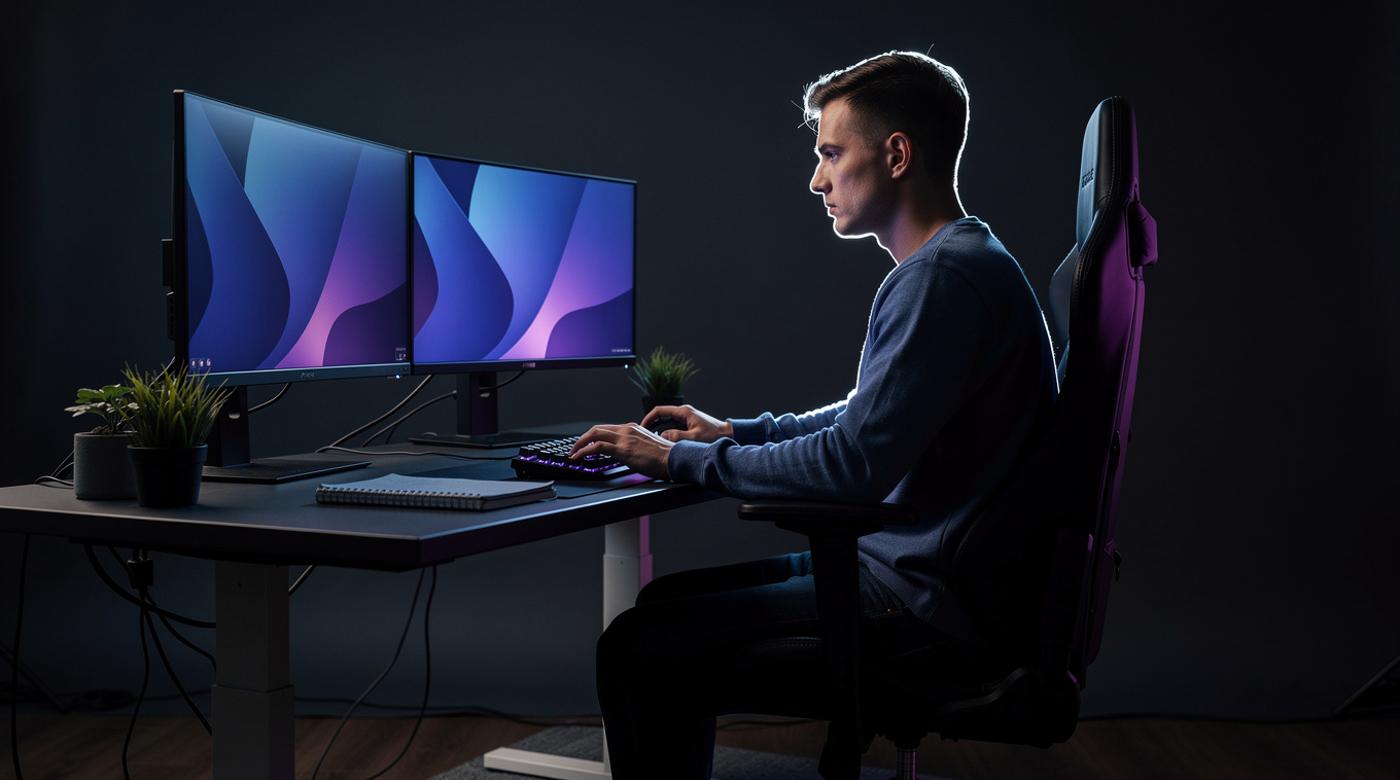
- Use a monitor arm for adjustability; dual monitors should be centered to minimize neck twisting.
- Reduce glare with matte screens or proper lighting.
- Chair Configuration:
- Choose an adjustable chair with lumbar support. Your feet should rest flat on the floor, with knees at a 90-degree angle.
- Adjust the backrest to support the natural curve of your spine; recline slightly (100-110 degrees) to reduce disc pressure.
- Keyboard and Mouse Placement:
- Keep elbows close to your body at a 90-120 degree angle, with wrists straight and not resting on hard surfaces.
- Use a keyboard tray or position the keyboard so your forearms are parallel to the floor.
- Opt for an ergonomic mouse to minimize wrist strain.
- Desk Essentials:
- Ensure the desk height allows for the above alignments; consider a sit-stand desk for variability.
- Organize frequently used items (e.g., phone, notepad) within easy reach to avoid overreaching.
Pro Tip: "Invest in adjustability, your chair, monitor, and desk should adapt to you, not the other way around."
Beyond the Chair: Dynamic Posture and Movement Strategies
Static sitting is the enemy of good posture. Incorporate these strategies to stay active:
- Active Sitting: Use an exercise ball or kneeling chair to engage core muscles and promote subtle movements.
- Micro-Movements: Shift your weight, stretch your legs, or adjust your position every 15-20 minutes to prevent stiffness.
- Scheduled Breaks: Follow the 20-20-20 rule for eyes (look 20 feet away for 20 seconds every 20 minutes) and take 5-minute movement breaks hourly.
- Standing and Walking: Use a sit-stand desk to alternate positions; aim for 15 minutes of standing per hour. Short walks during breaks boost circulation and cognitive function.
Research shows that movement not only reduces physical strain but also enhances focus and creativity, key for debugging and problem-solving.
Daily Habits for Lasting Posture Health: From Stretches to Screen Time
Integrate these routines into your daily workflow for sustainable wellness:
- Morning and Evening Stretches:
- Chest openers (e.g., doorway stretches) to counteract hunching.
- Hamstring and hip flexor stretches to relieve lower back tension.
- Wrist and forearm stretches to prevent repetitive strain injuries.
- Break Rituals:
- Set timers for hourly breaks to stand, stretch, or walk.
- Practice deep breathing during breaks to reduce stress and improve posture awareness.
- Screen Time Management:
- Use blue light filters on devices to reduce eye strain.
- Adjust screen brightness to match ambient lighting, minimizing squinting.
- Hydration and Nutrition:
- Drink water regularly to maintain disc hydration and overall energy.
- Avoid heavy meals at your desk to encourage movement and better digestion.
Consistency is key; even 5 minutes of stretching daily can prevent long-term issues.
Tools and Tech to Enforce Good Posture: Apps, Gadgets, and Reminders
Leverage technology to automate posture correction:
- Software Solutions:
- Posture Reminder Apps: Tools like PostureMinder or Stretchly send alerts for breaks and suggest exercises.
- Pomodoro Timers: Apps like TomatoTimer structure work into intervals with built-in breaks.
- Blue Light Filters: f.lux or Night Shift reduce eye strain by adjusting screen color temperature.
- Hardware Gadgets:
- Ergonomic Keyboards and Mice: Split keyboards or vertical mice promote neutral wrist positions.
- Standing Desks: Electric or manual models allow seamless transitions between sitting and standing.
- Posture Sensors: Wearable devices like Upright Go vibrate when you slouch, providing real-time feedback.
- DIY Solutions:
- Use smartphone alarms for break reminders.
- Place sticky notes on your monitor with posture cues (e.g., "Sit tall").
These tools integrate seamlessly into a developer's workflow, making good habits effortless.
The Mind-Body Connection: How Posture Affects Focus and Stress
Posture directly influences mental performance and emotional well-being:
- Cognitive Impact: Studies show that upright postures increase alertness and reduce mental fatigue, leading to better coding accuracy and faster problem-solving. Slouching, conversely, is linked to decreased energy and focus.
- Stress Reduction: Proper alignment reduces physical tension, which lowers cortisol levels and promotes relaxation. Techniques like seated meditation with good posture can enhance resilience during tight deadlines.
- Confidence and Mood: Adopting a "power pose" (e.g., sitting upright with shoulders back) can boost confidence and reduce anxiety, as shown in psychological research. This is crucial for presentations or collaborative sessions.
By optimizing posture, you're not just caring for your body, you're fine-tuning your brain for peak development performance.
Conclusion
Your posture as a web developer is a non-negotiable asset that impacts everything from daily comfort to long-term health and productivity. Start by auditing your workspace using the ergonomic setup guide, then incorporate movement strategies and daily habits to maintain alignment. Utilize tech tools to reinforce these practices, and remember the profound mind-body benefits, better focus, reduced stress, and enhanced creativity. Implement the action plan below today to code more efficiently and sustainably, ensuring your career thrives alongside your well-being.
Your Posture Action Plan: Start Today, Code Better Tomorrow
- Assess Your Setup: Check monitor height, chair support, and keyboard alignment against ergonomic guidelines.
- Schedule Movement: Set timers for hourly breaks and incorporate 5-minute stretches into your routine.
- Invest in Key Tools: Consider an adjustable chair, sit-stand desk, or posture app based on your needs.
- Practice Mindfulness: Pay attention to your posture during work; correct slouching immediately.
- Track Progress: Note reductions in pain or increases in energy over weeks to stay motivated.
Take control now, your future self will thank you for the pain-free, productive coding sessions ahead.